ChromeTrack automatically tracks your entire Chromebook fleet in real time — no scanning, no spreadsheets, no manual work. Just accurate inventory data, always.
Your IT team spends countless hours manually scanning barcodes, updating spreadsheets, and hunting down device information across multiple systems.
By the time your inventory is updated, it's already wrong. Students move, devices break, and your records never match reality.
When audit season comes, you're scrambling to piece together information from Google Admin, spreadsheets, and physical checks—hoping nothing falls through the cracks.
ChromeTrack works invisibly in the background through a simple Chrome extension. Every time a student logs in anywhere in your district, that device's data automatically updates in your centralized dashboard.
Powerful tools designed specifically for K-12 technology directors
Chrome extension silently gathers comprehensive device information whenever students log in. Serial numbers, model details, hardware specs, Chrome OS version, and student assignments—all updated automatically without any manual intervention.
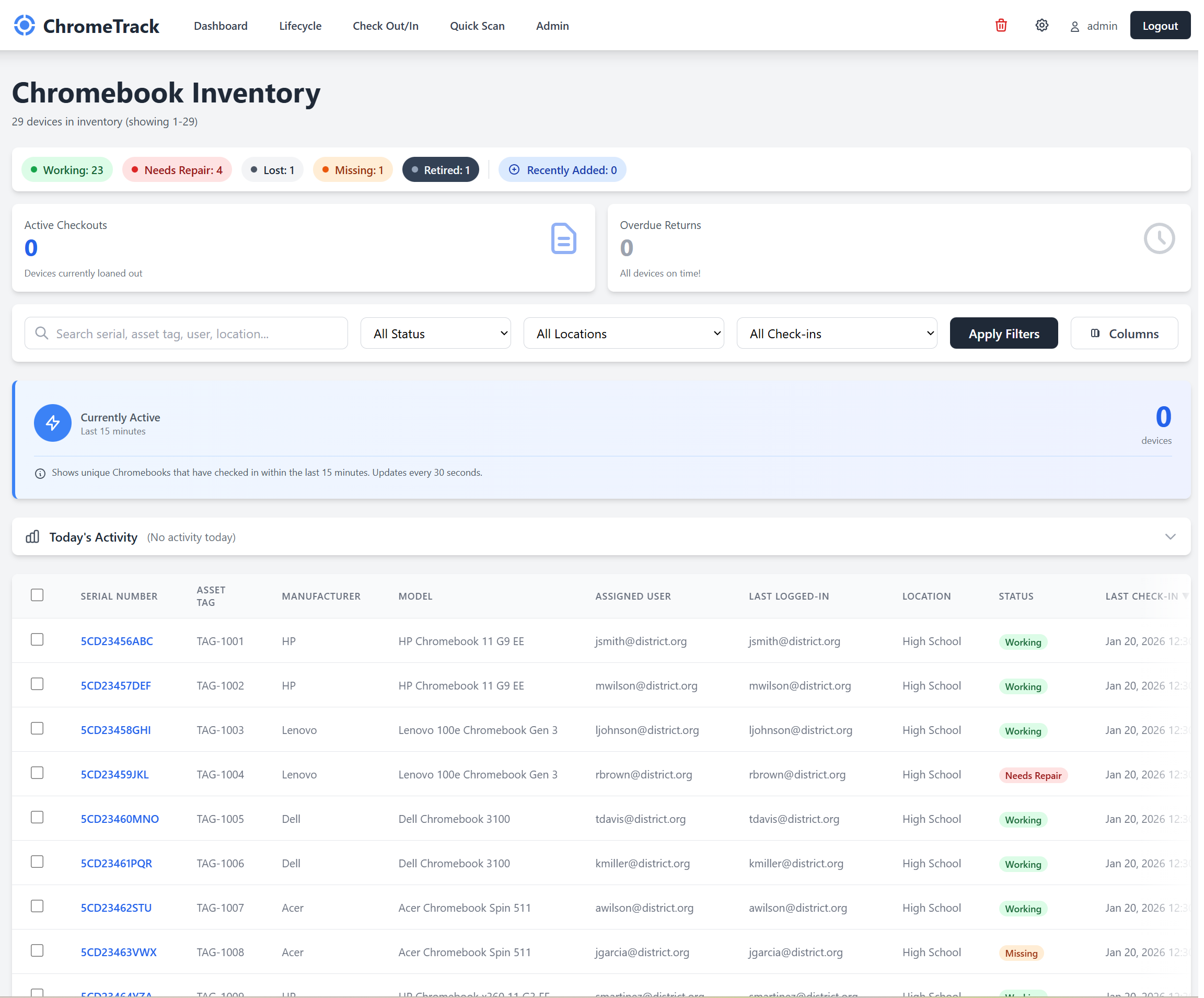
Centralized web interface showing live device status across your entire district. Advanced filtering, sorting, and search capabilities let you find any device instantly by serial number, asset tag, or student name.
Automatically track which student is using which device, including complete login history for shared classroom device pools. Perfect for both 1:1 programs and shared device deployments.
Track hardware specifications, system status, and Chrome OS versions across your fleet. Identify devices requiring maintenance or approaching end-of-life for proactive replacement planning.
Daily automated sync with Google Admin Console pulls manufacturer info, organizational units, AUE dates, and enrollment history. Your Google Workspace data seamlessly integrated with device tracking.
Manage device assignments with a streamlined check-out/check-in workflow. Track which student has which device, record check-out dates, and maintain a complete chain of custody for accountability and damage tracking.
Comprehensive reporting on device distribution, utilization patterns, hardware trends, and daily activity heatmaps. Generate audit reports, insurance claims documentation, and board presentations instantly.
Print asset labels on demand or in bulk. Generate professional labels with barcodes, QR codes, and device info directly from your inventory—perfect for new deployments or refreshing worn labels.
Join hundreds of K-12 districts saving thousands of hours with automated Chromebook management. Get started with a free trial today.