Powerful Tools for Fleet Management

Everything you need to track, manage, and optimize your Chromebook inventory across your entire district.

Automatic Data Collection

Our lightweight Chrome extension works silently in the background, gathering comprehensive device information whenever students log in. No manual scanning required.

  • Serial numbers captured automatically
  • Hardware specs and Chrome OS version tracked
  • Student assignments recorded in real-time
  • Works across all campuses simultaneously
ChromeTrack

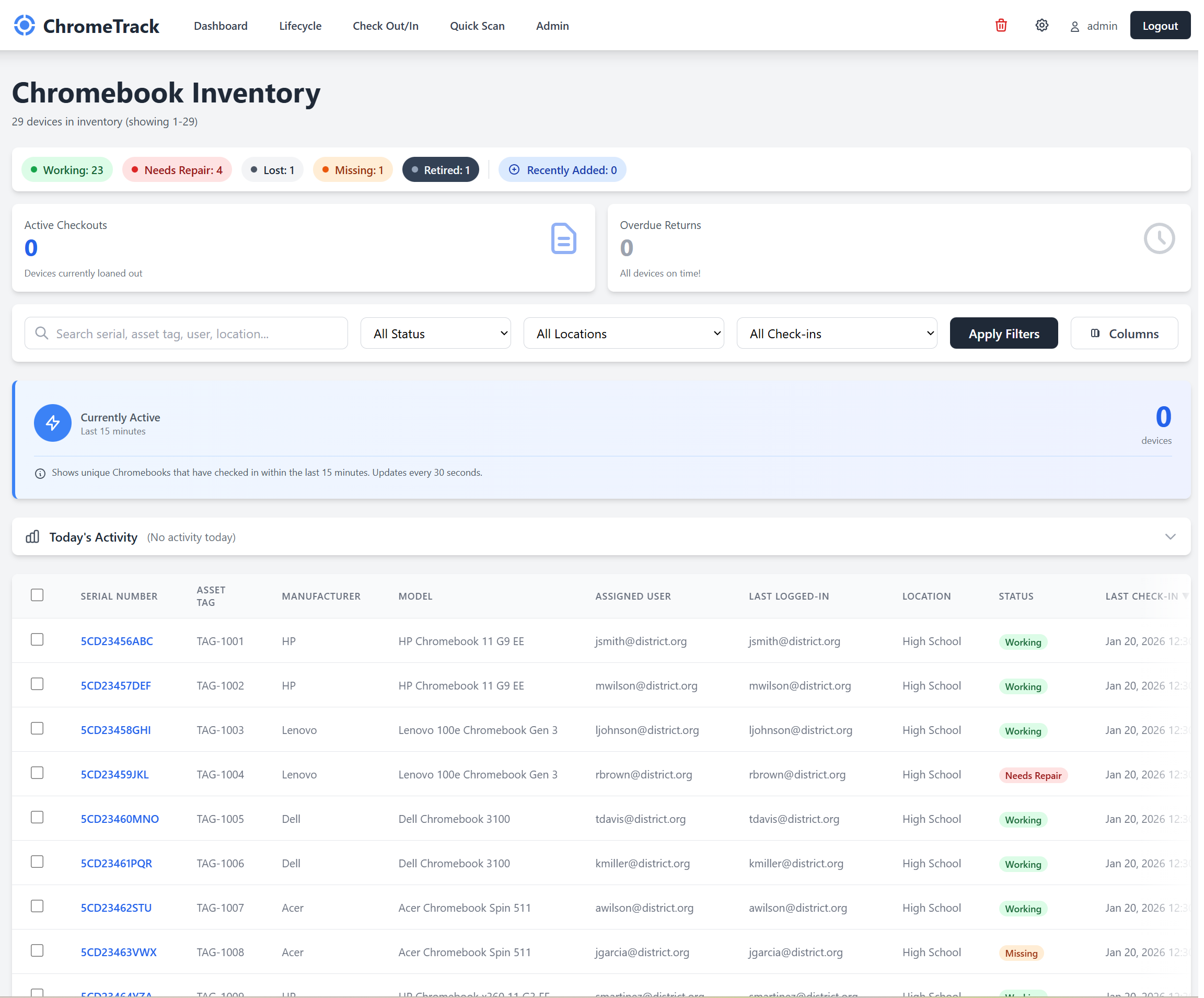
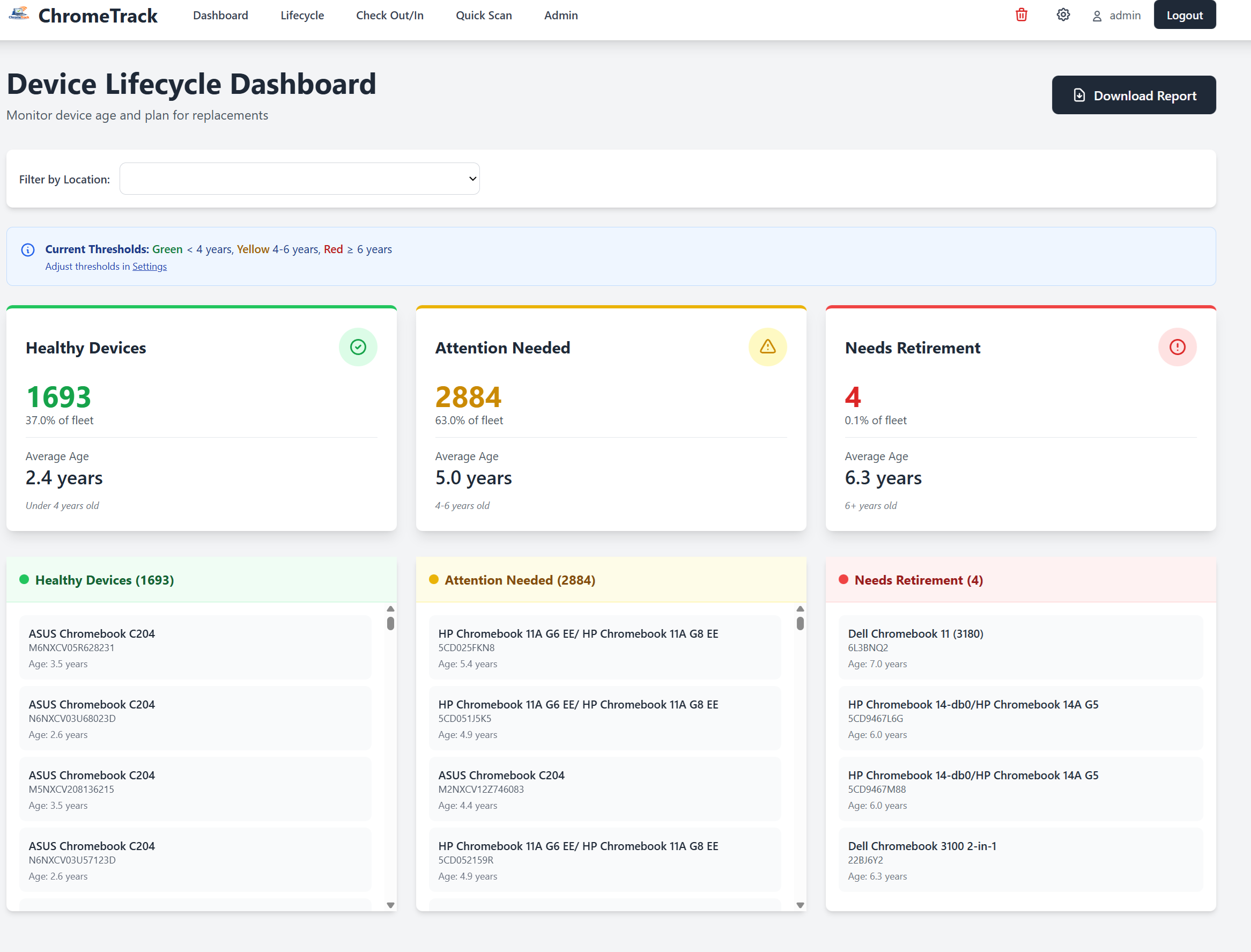
Real-Time Dashboard

Access a centralized web interface showing live device status across your entire district. Find any device instantly with powerful search and filtering.

  • Live device status across all locations
  • Advanced filtering by campus, grade, or status
  • Search by serial number, asset tag, or student name
  • Exportable reports for audits and compliance
ChromeTrack Dashboard

Student Assignment Tracking

Automatically track which student is using which device, including complete login history. Perfect for both 1:1 programs and shared classroom devices.

  • Automatic student-device pairing
  • Complete login history for each device
  • Support for shared device pools
  • Easy device reassignment workflow
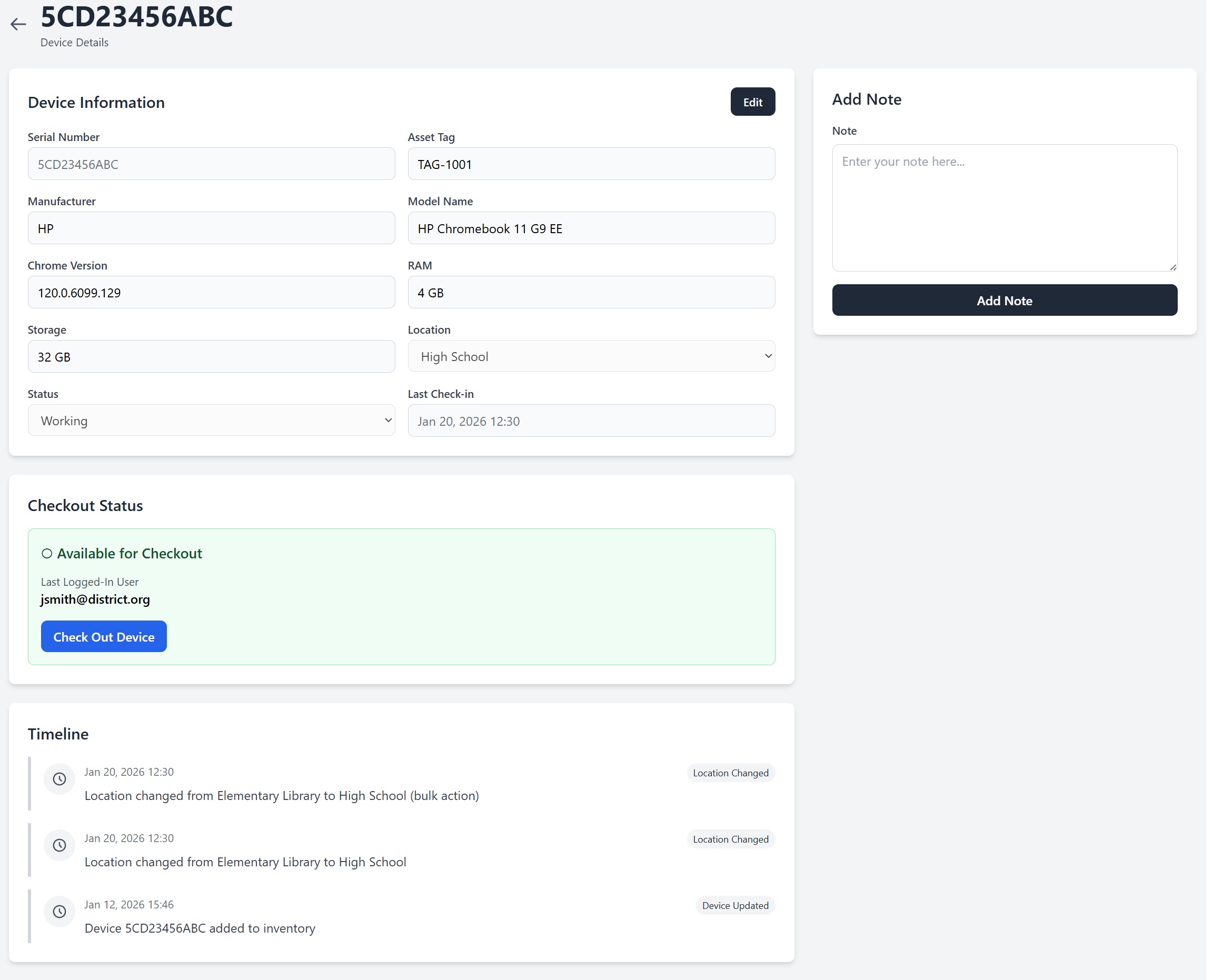
ChromeTrack Device Check

Device Health Monitoring

Track hardware specifications, system status, and Chrome OS versions across your fleet. Identify devices needing maintenance before they become problems.

  • Chrome OS version tracking
  • Battery health monitoring
  • Storage capacity alerts
  • End-of-life device identification
ChromeTrack Device Health

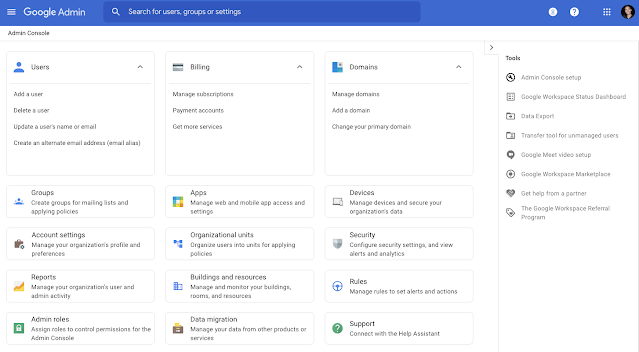
Google Admin Integration

Seamlessly sync with Google Admin Console. Pull manufacturer info, organizational units, AUE dates, and enrollment history automatically.

  • Daily automated sync with Google Admin
  • AUE (Auto Update Expiration) tracking
  • Organizational unit synchronization
  • Enrollment status monitoring
ChromeTrack Google Admin Integration

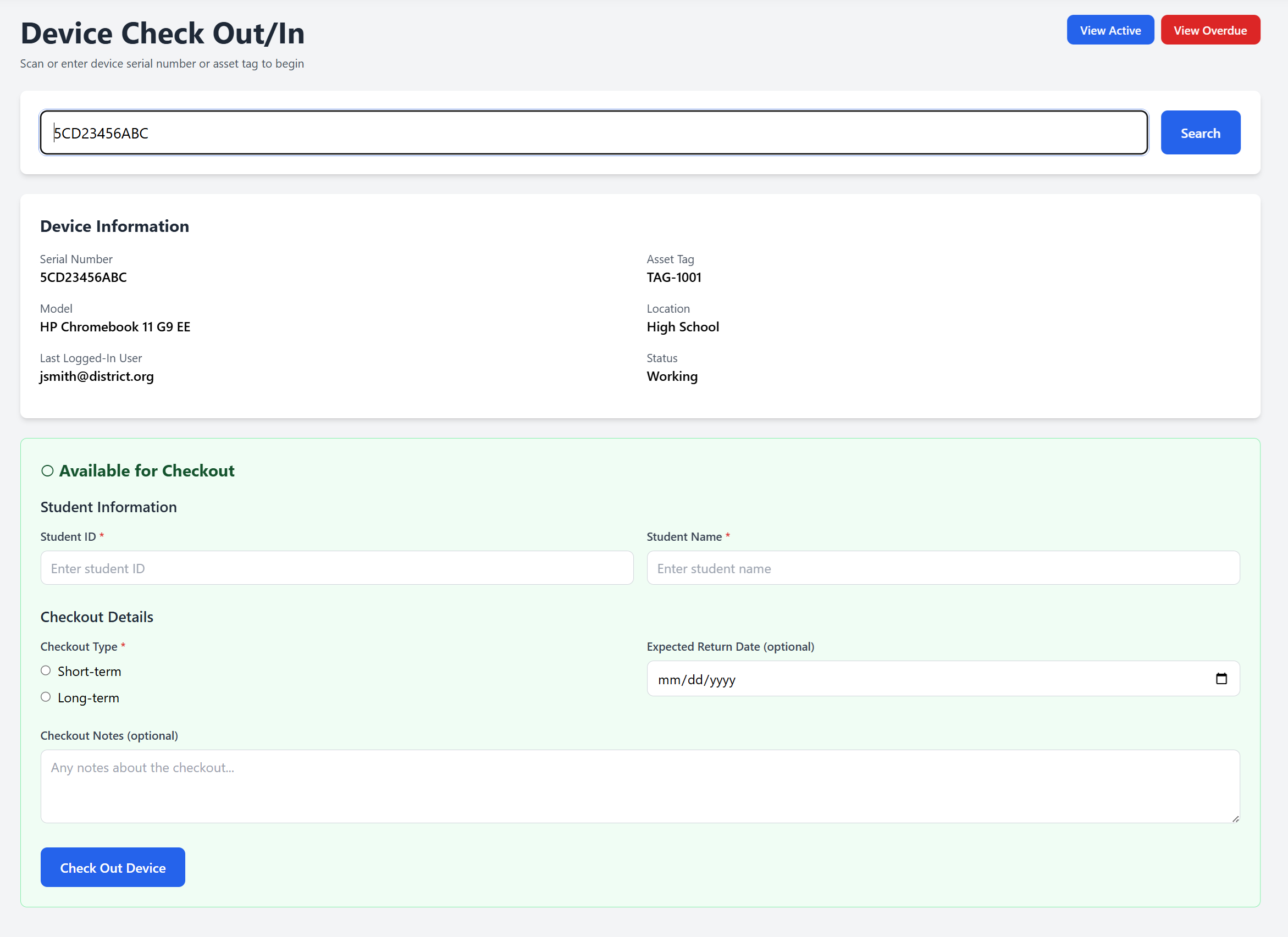
Device Check-Out System

Manage device assignments with a streamlined check-out/check-in workflow. Maintain a complete chain of custody for accountability.

  • Digital check-out forms
  • Condition documentation at check-out/in
  • Parent/guardian signature capture
  • Damage tracking and reporting
ChromeTrack Device Check-Out

Fleet Analytics & Reporting

Comprehensive reporting on device distribution, utilization patterns, and hardware trends. Generate audit reports and board presentations instantly.

  • Device distribution by campus/grade
  • Utilization and activity heatmaps
  • Insurance claims documentation
  • Custom report builder
ChromeTrack Fleet Analytics

Works With Your Existing Tools

🔗

Google Admin

Full sync integration

📊

Google Sheets

Export & import data

📁

CSV Import/Export

Bulk data management

🛠️

RIO Tools

Device management

Ready to See ChromeTrack in Action?

Schedule a personalized demo and discover how ChromeTrack can transform your device management.